
← Back to blog
Softball Walk-Up Songs App: How to Pick Clean Songs That Still Hit
Baseball walk up songs: A practical guide to finding clean softball walk-up songs with real energy, plus how to add them to your players in the app.
Patrick Taylor
Softball walk-up music has to do two things at once: keep the energy high and stay appropriate for the setting. This guide shows you how to pick clean songs that still hype the moment, then quickly add them to your team in the app.
How to pick clean walk-up songs (without killing the vibe)
- Look for strong intros (so the vibe starts right away)
- Keep it family-friendly for the league and age group
- Choose a track that feels confident, not distracting
- Match the song to the player (calm, hype, or “locked in”)
- Preview first so you know how it sounds through your speakers
A simple “clean energy” plan
- Leadoff player: upbeat, crowd-friendly
- Middle of the lineup: steady momentum
- High-leverage moment: one song that feels like a rally
How to add these to your team in the app
Open your roster and tap the player.
Choose Select walk-up song.
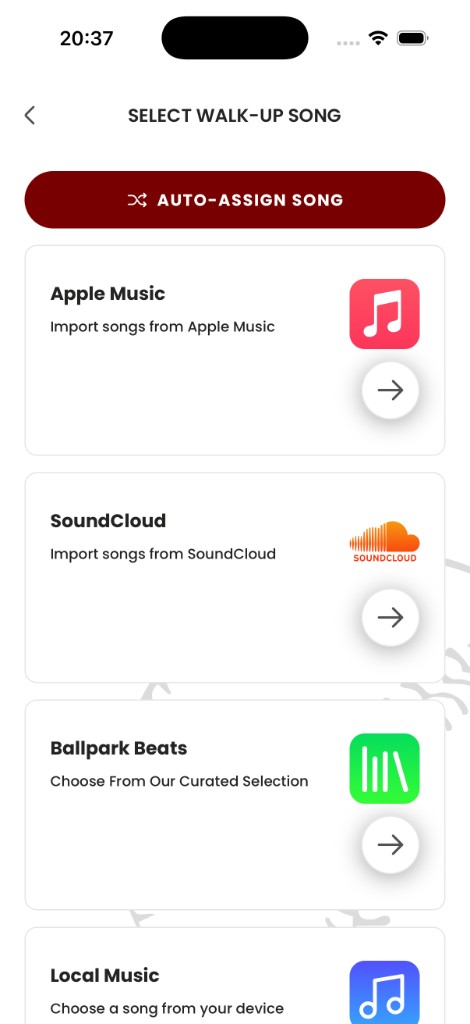
Open Pros Playlist and search for songs that match your vibe.
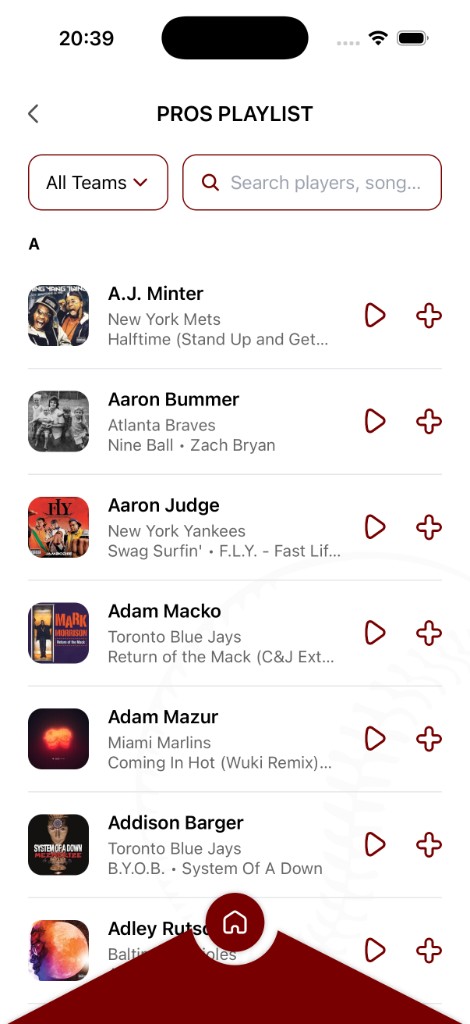
Preview, then tap + to assign.
Repeat for the rest of the lineup.
Ready to bring your walk-up songs to life?
Download the Baseball Walk-Up Songs app and take your team's game-day experience to the next level.
Get the app