
Little League Baseball App: Clean, Kid-Friendly Walk-Up Songs
Baseball walk up songs: Kid-friendly walk-up song tips for Little League: keep energy high, keep it appropriate, and set everything in the Baseball Walk-Up Songs app.
Patrick Taylor
Little League walk-up music is all about confidence and fun. You want songs that get teammates and parents excited, without crossing the line for younger players. Here is a simple way to choose clean, kid-friendly walk-up songs and add them to your roster fast.
Clean kid-friendly walk-up song rules (that still work)
- Keep it upbeat and short-intro ready Most walk-ups need music that hits early.
- Use clean or edited versions When in doubt, pick tracks you know are appropriate for your league.
- Choose confident vibes A “locked in” feel helps kids step in with composure.
- Avoid songs that get distracting You want hype—not chaos.
- Preview with your actual speakers What sounds good in headphones might be too quiet at the field.
A ready-to-use lineup plan
- Leadoff: bright and crowd-friendly
- Middle: steady momentum
- Big moment: the most energetic clean track you have
How to add these to your team in the app
Open your roster and tap the player.
Choose Select walk-up song.
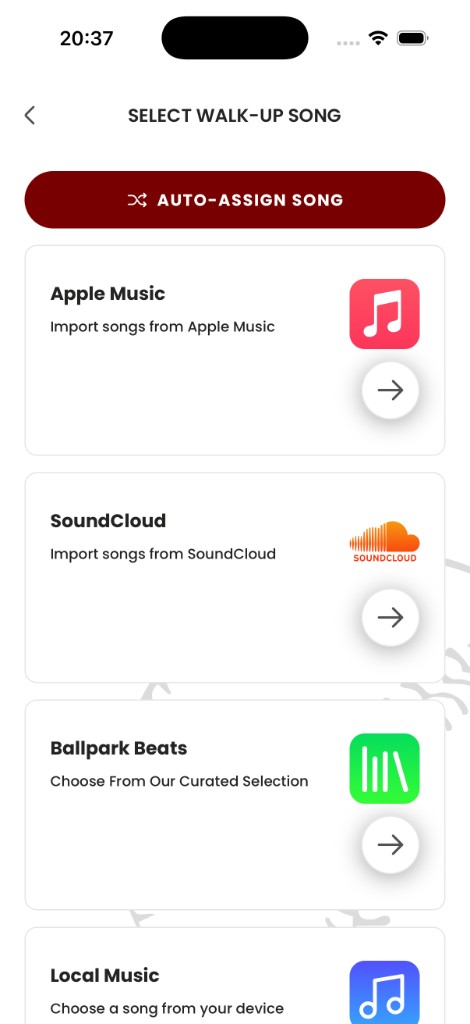
Find the song in Pros Playlist.
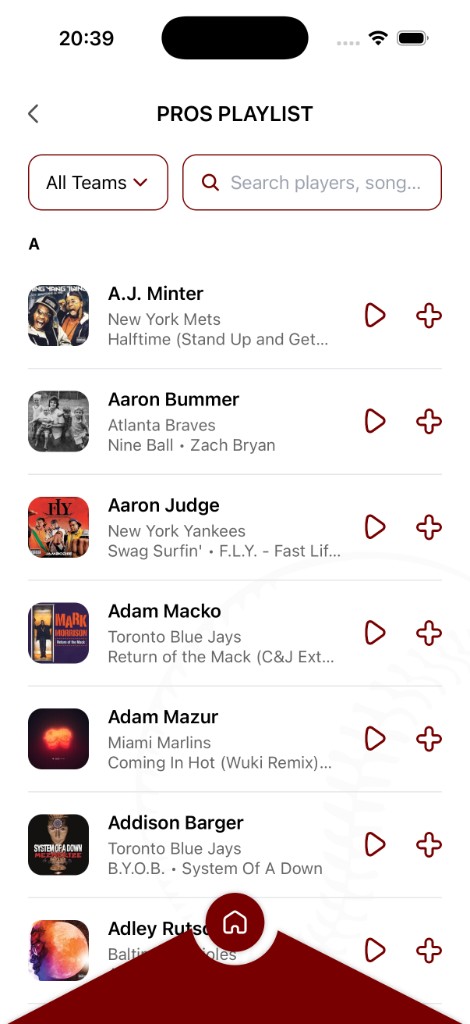
Preview and tap + to assign it.
Repeat for the lineup you want for game day.
Once your clean walk-up songs are set, game day becomes easier because you are not improvising in the moment.
Ready to bring your walk-up songs to life?
Download the Baseball Walk-Up Songs app and take your team's game-day experience to the next level.
Get the app