
Baseball Lineup App: Assign Walk-Up Songs by Player (Best Practices)
Baseball walk up songs: How to build a walk-up lineup in the app: assign songs by player, keep your roster updated, and maintain a consistent game-day vibe.
Patrick Taylor
A true lineup app doesn't just help you pick songs—it helps you keep them organized so the right player gets the right track at the right time. Here are practical best practices for assigning walk-up songs by player, plus a simple approach for keeping your lineup updated as rosters change.
Build your lineup in the right order
- Start with your top-of-the-order starters Set songs for leadoff and the first few batters you expect to see early.
- Then assign the rest of your starters Make sure your 1 through 9 have clean, intentional vibes—no awkward “clunky transition” moments.
- Finish with bullpen / high-leverage roles If you already know your likely closer or setup options, assign their songs too.
Best practices for picking by role
Pitcher energy vs hitter energy
Pitchers often want “locked in” energy: sharp intros, steady momentum, and music that helps focus. Hitters can go bigger and more crowd-engaging since they get more plate appearances over a game.
How to add these to your team in the app
Open your team roster in the app.
Tap a player and choose Select walk-up song.
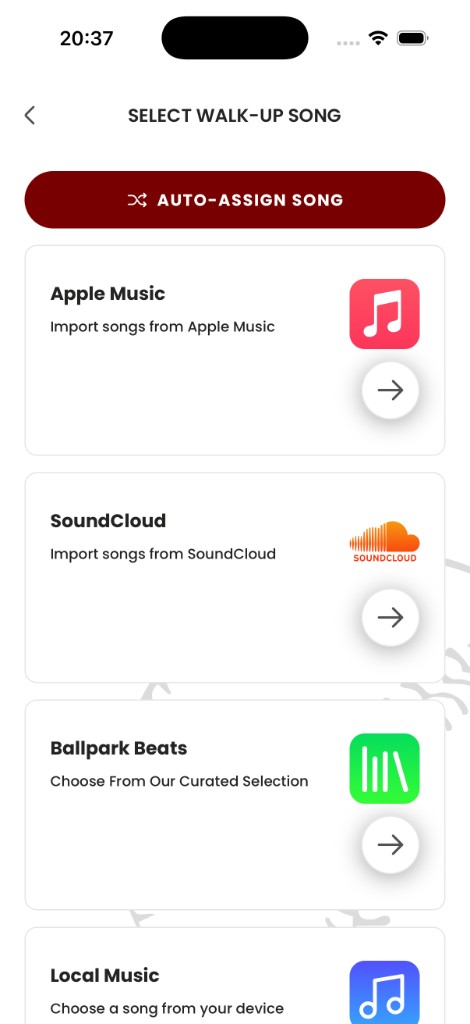
Open Pros Playlist and preview songs until you find the right match.
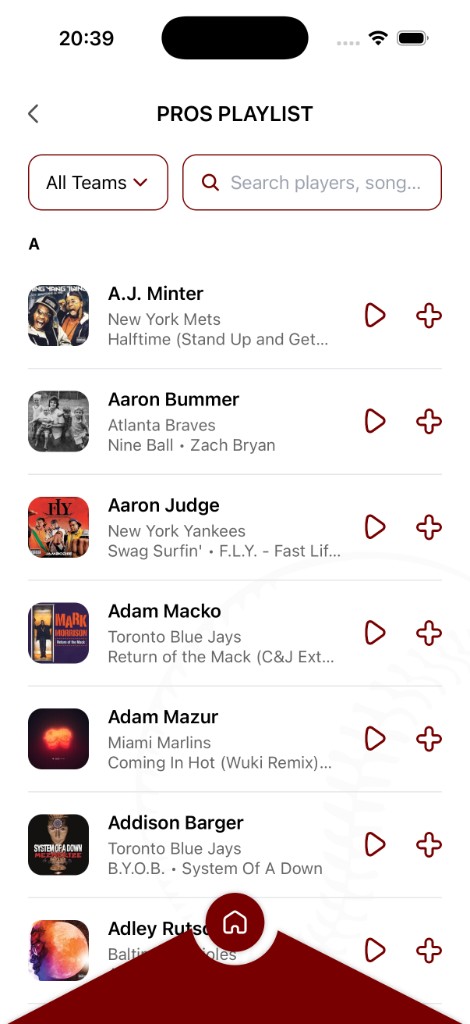
Tap + to assign it to that player.
If you keep this workflow, your lineup stays consistent even when you make substitutions—you can update songs without rebuilding everything from scratch.
Ready to bring your walk-up songs to life?
Download the Baseball Walk-Up Songs app and take your team's game-day experience to the next level.
Get the app